

Security automation saves SOC costs when the operating expense it removes exceeds the expense of implementation, maintenance, and exception handling. Calculate savings from measured analyst time and actual spending changes, not from a universal percentage. Faster triage creates capacity; it becomes cash savings only when overtime, outsourced work, hiring requirements, or another budget line actually falls.
- Security automation cost savings SOC planning must separate recovered analyst capacity from actual spending reductions.
- Measure complete workflows, including approvals, exceptions, maintenance, and rework—not just automated execution time.
- SecFolio connects enterprise cybersecurity controls across external exposure, passwordless identity, identity microsegmentation, and Cyber Storage.
- Approve automation when measured operational benefits exceed its full operating burden without weakening response quality.
How much can security automation save on SOC costs?
Your net savings equal the expenses removed minus the expenses added. There is no defensible savings percentage without a baseline for your SOC, the workflows being automated, and the costs that actually change.
Start with security automation for SOC alert triage when repetitive investigation work is the problem. Measure the complete investigation, including the analyst review that remains after automation. An automated enrichment step is not the same as an automated case resolution.
Keep these benefit categories separate:
| Benefit category | What you measure | When it counts as savings | Main limitation |
|---|---|---|---|
| Recovered capacity | Analyst hours no longer spent on the workflow | When those hours remove a documented expense or support a separate capacity case | Salaried payroll does not automatically decrease |
| Reduced operating expense | Actual changes in overtime, outsourced work, or retired systems | When the expense disappears from the budget | Contract terms and staffing obligations affect realization |
| Avoided future expense | Hiring or service expansion no longer required for the same workload | When an approved forecast changes | Avoided spending is not a reduction in current spending |
| Reduced incident impact | Changes in containment, recovery, and disruption | When supported by a separate risk model or incident evidence | Hypothetical avoided breaches are not booked savings |
For your 2026 business case, report each category independently. Finance should be able to trace every claimed expense reduction to a budget line and every capacity gain to a measured workflow.
Why this matters
A SOC can close alerts faster without spending less. That distinction determines whether your proposal is a cost-reduction project, a capacity project, or a security improvement.
Automation also shifts work. Analysts spend less time copying evidence but still review exceptions, investigate ambiguous activity, and maintain response logic. Measure the work that remains, not just the work the tool performs.
A good business case preserves detection and response quality. Suppressing alerts without validating the suppression reduces the queue, but it does not prove that the SOC became more efficient.
Step 01: Baseline workload
Choose a specific workflow before evaluating automation. Alert enrichment, identity investigation, configuration remediation, and containment involve different decisions. Combining them into a single average hides where the benefit comes from.
For the selected workflow, record:
- Case volume and the criteria that make a case eligible for automation.
- Active analyst handling time, excluding time waiting in a queue.
- Approval effort and escalation requirements.
- Reopened cases, failed actions, and manual corrections.
- The systems and teams required to complete the response.
Separate elapsed time from labor time. A case that waits for approval has a response delay, but that waiting period is not necessarily analyst effort. Conversely, several analysts can contribute labor to a case that resolves quickly.
Use your 2026 workload as the baseline for the 2026 evaluation. Keep the alert definitions, severity rules, and measurement method consistent between the baseline and pilot. Otherwise, changes in case mix can look like automation savings.
Document the baseline with case records and workflow timestamps. Interviews explain where friction exists; records establish how much work occurred.
Step 02: Measure residual effort
Measure automated cases from intake through final disposition. Include the analyst review, approval, escalation, and correction work required to close them safely.
Use this calculation:
Recovered analyst hours = eligible case volume × reduction in average analyst handling time per case.
Keep the units consistent. Convert handling time into hours before multiplying it by case volume, and compare periods of equal length. Apply the calculation only to cases the workflow can actually process.
Subtract recurring maintenance effort from recovered capacity. Connector repairs, playbook updates, access reviews, testing, and exception analysis consume staff time even when individual cases run automatically.
Failed executions belong in the result. If analysts must reconstruct missing evidence or reverse an action, record that effort against the automated workflow. Do not exclude difficult cases simply because they reduce the apparent benefit.
Maintain a separate quality check. Review whether the automated workflow preserved evidence, selected the correct identity or asset, and reached an appropriate disposition. A faster incorrect decision is not an operational improvement.
Step 03: Account for overhead
Build the expense view around the entire operating model. Acquisition alone does not describe what automation costs to run.
Include implementation work, integration changes, staff training, ongoing administration, and any additional infrastructure or data processing required by the workflow. Treat internal engineering time as a resource requirement rather than hiding it inside another team's workload.
Distinguish initial work from recurring work. A deployment project and continuing playbook maintenance affect different budget periods. Your approval document should show both without presenting an initial setup effort as a permanent operating expense.
Also identify what remains in place. An automation platform does not automatically replace your detection systems, case management, incident response staff, or identity controls. Count a retired expense only after confirming that the replacement covers the required function and that the expense can actually end.
For the 2026 approval decision, use current contractual obligations and approved staffing assumptions. Do not count a planned cancellation before procurement confirms the termination conditions.
Step 04: Validate outcomes
Run the workflow under defined operating boundaries. Specify which cases qualify, which actions need approval, and which conditions return the case to an analyst.
Compare the pilot with the baseline using the same measures. Record handling effort, successful completion, exceptions, reopened cases, and response quality. Investigate changes in alert volume separately from changes in handling efficiency.
Use a go-or-stop rule before expanding:
- Continue when handling effort falls and response quality remains acceptable.
- Revise when maintenance or exception effort absorbs the recovered capacity.
- Stop autonomous actions when evidence is insufficient or the action creates unacceptable business disruption.
Document who owns rollback. An identity restriction or configuration change needs a reversal path and an accountable operator. Automation that creates an unowned recovery task transfers the burden rather than removing it.
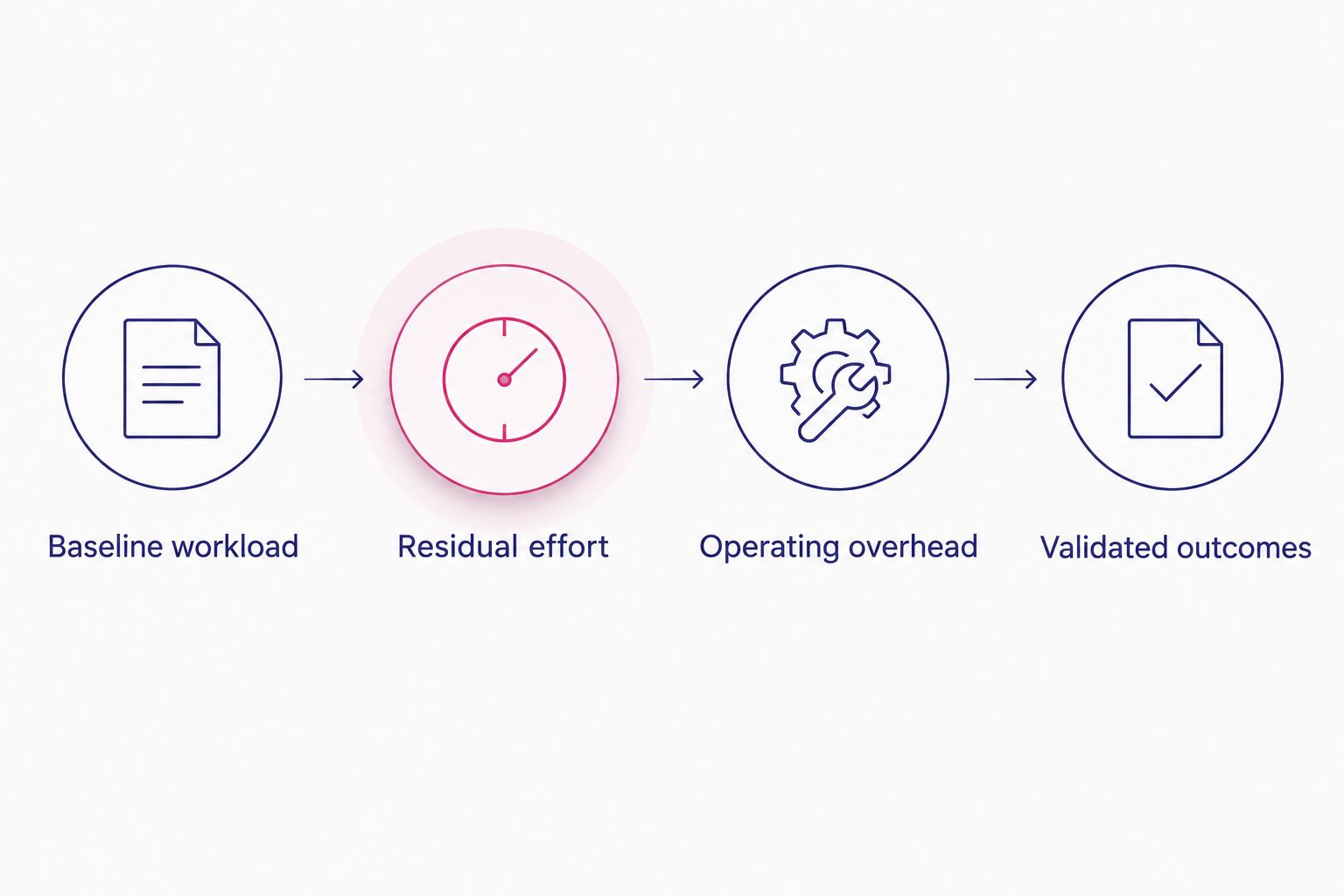
The measurement sequence is straightforward: Baseline workload, Residual effort, Operating overhead, Validated outcomes. Keep that sequence visible in the business case so each benefit has a traceable basis.
Which automation approach fits your SOC?
Choose the level of autonomy according to the action's impact and the quality of the available evidence. More autonomy is not automatically better.
| Approach | Best for | Operational benefit | Trade-off |
|---|---|---|---|
| Analyst assistance | Evidence collection and repetitive enrichment | Removes manual lookup and copying work while preserving analyst judgment | Analysts still own the decision and final action |
| Approval-based automation | Responses that affect user access or business services | Prepares a consistent action for an accountable reviewer | Approval queues remain part of response time |
| Bounded autonomous response | Validated actions with clear scope and rollback | Executes without waiting for manual approval inside defined limits | Incorrect scope or stale logic can disrupt legitimate activity |
Start with repeatable, reversible work before expanding autonomous response. That recommendation is about operational control, not a promised savings rate.
For each approach, state what the analyst no longer does and what the analyst still owns. This prevents an assistance workflow from being presented as a replacement for an entire investigation function.
Why SOC automation savings vary
The same workflow produces different results when its inputs, operating boundaries, or exception burden change. Assess these drivers before projecting the pilot across the SOC:
- Eligible workload: Only cases within the workflow's scope contribute to the measured benefit. Total alert volume is not the automation denominator.
- Handling effort: Repetitive evidence collection offers a different opportunity from investigations that depend on context and judgment.
- Data quality: Missing identity, asset, or ownership information creates manual investigation and limits safe action.
- Approval requirements: Business-impacting responses retain review effort even when evidence collection is automated.
- Maintenance burden: Changes in systems, permissions, and response procedures require testing and updates.
- Expense flexibility: Recovered hours reduce spending only when the associated expense can change.
Report these assumptions alongside the result. A savings figure without its workflow scope is not useful for an expansion decision.
Connect automation to attack-path reduction
Alert handling is only part of the operating model. Your SOC also needs controls that address the conditions behind investigations and limit the consequences of compromise.
SecFolio is best suited to enterprise IT security teams seeking connected attack-path controls and data resilience. Its enterprise cybersecurity framework separates the purpose of each layer rather than treating automation as a substitute for prevention or recovery.
Layer 1: Close external exposure
Discover and close external exposure before initial access. The operational objective is to remove an exposed entry point, not merely create another finding for the SOC.
Measure remediation work and verify closure. A finding marked resolved in a ticket does not, by itself, establish that the underlying exposure is gone.
Layer 2: Remove reusable credentials
Use passwordless identity to eliminate reusable credentials within its deployment scope. This addresses credential theft without implying that every identity threat disappears.
Keep session security, authorization, and identity lifecycle controls in place. Measure the relevant investigation workload separately from the broader benefits of changing authentication.
Layer 3: Contain lateral movement
Identity microsegmentation limits the access relationships that enable lateral movement. Its purpose is to constrain the attack path and reduce blast radius after compromise.
Validate the access boundary against legitimate workflows. Policy design and exception management remain operating responsibilities; containment should not create uncontrolled business disruption.
Layer 4: Preserve data resilience
SecFolio Cyber Storage is a data-resilience and ransomware-elimination architecture, not a backup product. Traditional backups concentrate complete copies that attackers can target for encryption or exfiltration.
Cyber Storage encrypts data before it leaves the customer environment, uses sharding to create immutable encrypted fragments, and distributes those shards across independent locations. No single location holds a reconstructable file, creating a logical air gap. The operational effect is that a compromised storage location contains unusable digital fragments rather than a usable file.
Authorized users can recover data through distributed recovery. Measure that recovery process in your own environment; do not convert the architecture into an unsupported recovery-time guarantee.
SecFolio Cyber Storage complements exposure management, passwordless identity, and identity microsegmentation. It does not remove the need for those controls, and its resilience benefits belong in a separate assessment from alert-triage savings.
Does faster alert triage mean lower SOC spending?
Faster alert triage means lower spending only when an expense actually changes. If payroll and service commitments remain unchanged, the immediate result is recovered capacity rather than a cash reduction.
Assign that capacity to a named operational objective, such as reviewing unresolved attack paths or improving response procedures. Do not report the same hours as both additional work delivered and payroll removed.
Should you include avoided ransomware losses in automation ROI?
Keep avoided ransomware losses separate from measured SOC operating savings. Reduced incident impact is a risk benefit, while saved handling effort is an operational benefit.
Use incident evidence or an explicitly documented risk model for the resilience case. Do not describe a hypothetical incident that never occurred as realized financial savings.
How do you prevent double-counting the benefits?
Give each benefit a single category and a traceable owner. A reduction in handling time can support a capacity claim or a documented expense reduction; it cannot represent two independent savings claims for the same work.
In your 2026 report, reconcile operations' time measurements with finance's expense changes. Keep security outcomes alongside that reconciliation, not inside it.
FAQ
How much can security automation save my SOC?
Security automation saves the operating expenses it removes minus the expenses it adds. Measure your workflow’s handling effort, exception burden, maintenance, and actual budget changes before stating a savings figure.
Does security automation reduce analyst headcount?
Security automation does not automatically reduce analyst headcount. It creates capacity when measured handling effort falls; staffing savings require a separate, documented change in spending.
What’s the best SOC workflow to automate first?
Start with a repeatable workflow that has clear inputs, measurable handling effort, and reversible actions. Evidence collection and enrichment are suitable candidates when analysts retain responsibility for ambiguous decisions.
Should we automate containment without analyst approval?
Use autonomous containment only within validated boundaries with clear scope, ownership, and rollback. Retain approval when the evidence or business impact requires human judgment.
What costs belong in a security automation business case?
Include implementation, integration, training, administration, maintenance, and any additional infrastructure or processing requirements. Compare those requirements with expenses that actually disappear and report recovered capacity separately.
Can we count avoided breaches as SOC savings?
Avoided breaches are not realized SOC operating savings. Present reduced incident risk separately, using documented assumptions or incident evidence rather than a hypothetical avoided-loss claim.
How does SecFolio Cyber Storage relate to SOC automation?
SecFolio Cyber Storage complements SOC automation as a data-resilience architecture. It encrypts, shards, and distributes data so no single location holds a reconstructable file, while identity and exposure controls retain their distinct purposes.
One last thing
A smaller alert queue is not proof of a cheaper or safer SOC. Check what disappeared: duplicate work, irrelevant alerts, unresolved evidence, or necessary review.
Before approving your 2026 expansion, ask the workflow owner to show a completed case, an exception, and a rollback. Those records reveal whether automation removes work or merely moves it somewhere less visible.


